Have you ever listened to a beautiful piano piece and wished you had the sheet music or the MIDI files to play in Synthesia? Or maybe you have a rough piano recording on your phone that you want to properly edit in your DAW. If you are wondering how to extract piano MIDI from piano audio, you are in the right place.
In the past, transcribing polyphonic instrumentals like the piano required hours of manual work, perfect pitch, and endless patience. Today, thanks to advanced AI audio processing, you can extract accurate MIDI sequences from any piano recording in just a few clicks.
Here is the ultimate guide on how to seamlessly convert your piano audio files into editable MIDI.
Why Extract Piano MIDI from Audio?
Pianists, producers, and music enthusiasts convert piano audio to MIDI for several practical reasons:
- Creating Sheet Music: Once you easily extract the MIDI file, you can import it into notation software like MuseScore or Sibelius to instantly generate printable sheet music.
- Synthesia Tutorials: Most YouTube piano tutorials use Synthesia. A clean MIDI file is all you need to create these falling-notes visualizations.
- Remixing and Producing: By dropping the MIDI into your DAW (Ableton, FL Studio, Logic Pro), you can change the piano VST, adjust the tempo, fix wrong notes, or assign the melody to a completely different instrument like a synth or violin.
The Challenge of Piano Audio Transcription
Unlike a single vocal line (monophonic), the piano is a polyphonic instrument. A pianist uses both hands to play complex chords, fast arpeggios, and overlapping melodies simultaneously while using the sustain pedal.
Traditional audio-to-MIDI converters struggle heavily with this. They often generate messy "ghost notes" or fail to recognize complex chords. That is why learning how to extract piano MIDI from piano audio using modern AI-driven tools is essential. AI models are trained specifically on millions of piano performances to distinguish between harmonies and precise keystrokes.
Using a Free MP3 to MIDI Converter
While many tools exist, you will get the best results by using a dedicated, free MP3 to MIDI converter that is fine-tuned for complex audio like piano tracks. Our free MP3 to MIDI converter is powered by advanced AI algorithms, ensuring your piano audio is transcribed with maximum accuracy and complete privacy within your browser.
Step-by-Step: How to Extract Piano MIDI from Piano Audio
The fastest and most accurate way to do this today is by using a dedicated AI MIDI converter. Here is the simple 3-step process:
Step 1: Prepare Your Piano Audio File
For the best results, make sure your audio file is high quality.
- Supported formats: Usually MP3, WAV, FLAC, or OGG.
- Audio isolation: Ensure the track is a pure piano solo. If there are drums, vocals, or strings in the background, the AI might get confused. (If needed, use an AI vocal/stem remover first to isolate the piano track).
Step 2: Upload to the AI MIDI Converter
Head over to our dedicated Piano MP3 to MIDI Converter. We have a specialized algorithm optimized specifically for accurate piano transcriptions.
Simply drag and drop your piano audio file into the upload area.

Step 3: Convert and Download
Once uploaded, hit the convert button. The AI will analyze the frequencies, complex chords, and timing of the piano audio. Within seconds, your new .mid file will be ready for download. You can then drag this file directly into your music production software.
Pro Tips for the Best MIDI Extraction Results
Even with the best AI, the quality of your input audio heavily impacts the result. Keep these tips in mind for perfect transcriptions:
Avoid Heavy Reverb
Too much echo or room reverb blurs the notes together, making it harder for the AI to detect when a key was released. A dry recording is always better.
Use Clear Recordings
A direct line-in recording from a digital piano works flawlessly. If you are recording a grand piano with a mic, try to eliminate as much background room noise as possible. The cleaner the MP3 or WAV file, the more accurate the generated MIDI.
Quantize Afterwards
AI captures the exact human timing and subtle swing. When you pull the MIDI into your DAW, use the "Quantize" function to snap the notes perfectly to the grid if you need a strict, robotic tempo (especially useful for EDM or pop remixes).
What to Do with the Converted Piano MIDI File?
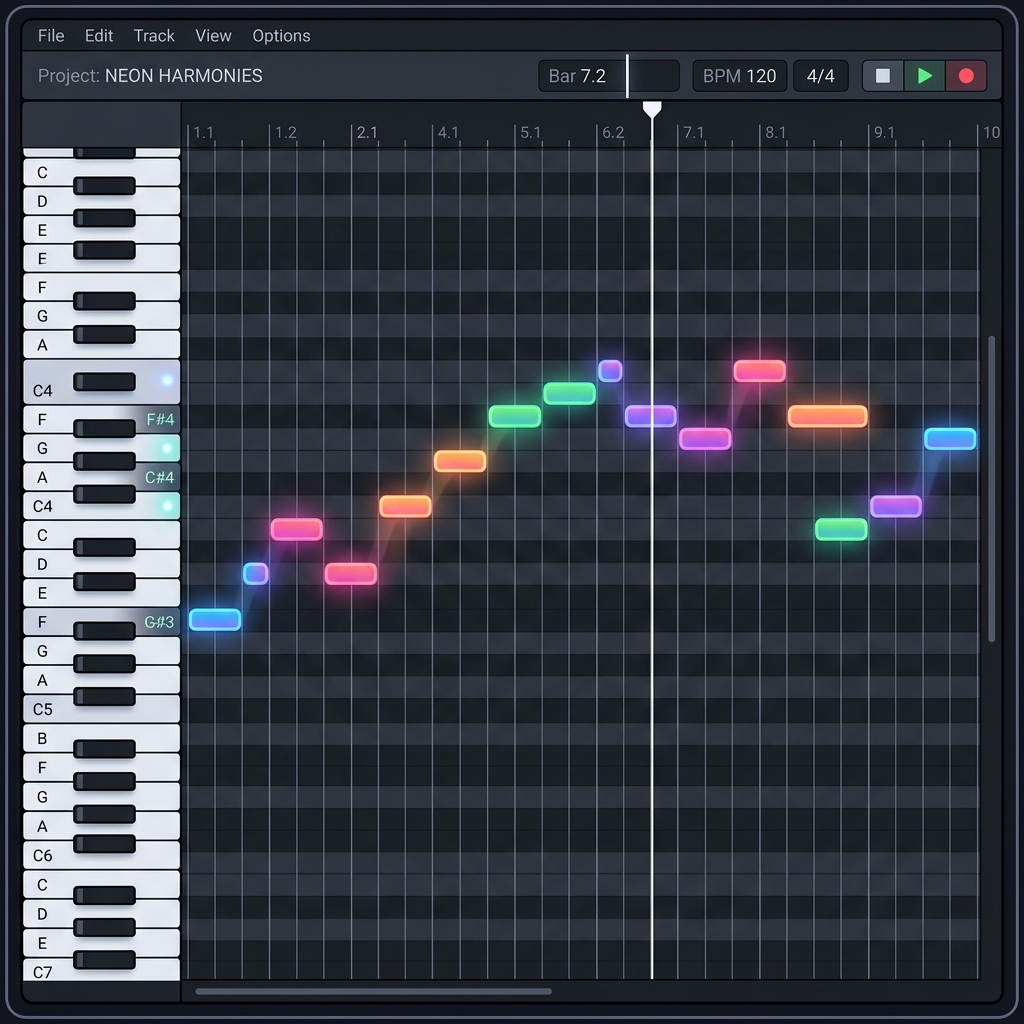
Once you extract your piano MIDI, you have absolute freedom. You can edit wrong notes in your DAW's piano roll, assign the MIDI clip to a premium classical grand piano VST like Keyscape, or slow down a fast performance to practice along with it.
Conclusion
You no longer need to spend days transcribing songs by ear. Understanding how to extract piano MIDI from piano audio opens up a world of possibilities for music production, learning, and sheet music generation.
Start converting your audio to MIDI today. Try our fast and accurate Piano Audio to MIDI converter for free and bring your inspiration to life in seconds!